Modern Functions Update (MFU) includes a convenient Link On/Off button on the ribbon that lets you quickly add or remove hyperlinks in bulk with a single click.
You can now run it for free on your Excel from 2007 onward, including 365 and 2024 versions.
Description
The Link On/Off feature is a simple toggle button that either removes hyperlinks from selected cells (keeping only the visible text) or adds hyperlinks to selected cells (using the cell text as the link address).
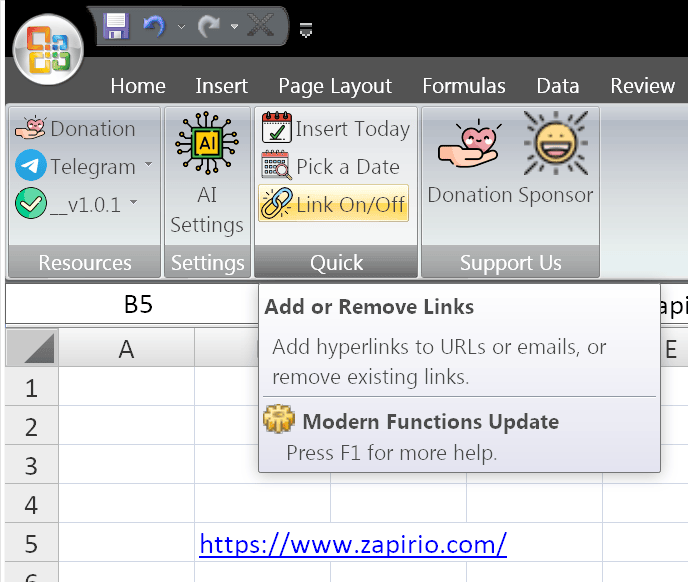
This is particularly useful for:
- Cleaning data: Remove hyperlinks while preserving the displayed text
- Bulk operations: Process many cells at once, not just one at a time
- Data preparation: Remove links before exporting, printing, or sharing
- Link management: Quickly convert plain text URLs into clickable links
- Quick toggling: Instantly switch between linked and unlinked states
How to Use It
Remove Hyperlinks:
- Select the cell or range of cells containing hyperlinks
- Click the “Link Off” button on the ribbon
- The hyperlinks are removed, but the visible text remains unchanged
Add Hyperlinks:
- Select the cell or range of cells containing URLs as plain text
- Click the “Link On” button on the ribbon
- The text becomes a clickable hyperlink pointing to itself
What It Does
| Action | Before | After |
|---|---|---|
| Link Off | Click here (blue, underlined, clickable) | Click here (plain text, no link) |
| Link On | https://example.com (plain text) | https://example.com (blue, underlined, clickable) |
Key Features
- ✅ Single button – One click to toggle links on or off
- ✅ Bulk processing – Works on multiple cells at once
- ✅ Preserves text – Removes links without losing the displayed text
- ✅ Adds links – Converts plain text URLs into clickable hyperlinks
- ✅ Works on any range – Single cell, entire column, or any selection
- ✅ Quick Access Toolbar – Add the button to your QAT for even faster access
Adding to Quick Access Toolbar
The Link On/Off button can be easily added to your Quick Access Toolbar for even faster access:
- Right-click on the “Link On/Off” button on the ribbon
- Select “Add to Quick Access Toolbar”
- The button now appears on your Quick Access Toolbar for one-click access at all times
Example Use Cases
| Scenario | Action |
|---|---|
| Cleaning imported data | Remove hyperlinks from copied web data |
| Preparing documents for printing | Remove links before printing |
| Sharing spreadsheets | Remove links before sharing with others |
| Creating clickable lists | Add links to a list of URLs |
| Bulk link management | Toggle links on or off for an entire column |
Notes
- ✅ Fully tested – The implementation in Modern Functions Update works reliably.
- ✅ The feature is fully compatible with Excel 2007, 2010, and all later versions.
- ✅ Works on single cells or multiple selected cells.
- ℹ️ Link On/Off is a unique MFU feature not found in any Excel version.
- ⚠️ When turning links off, the visible text is preserved exactly as displayed.
- ⚠️ When turning links on, the cell text must be a valid URL (e.g.,
https://example.com).
See Also
EXTRACT_LINK – Function to extract the URL from a hyperlink